

Bills of Materials
A bill of materials describes what a product is made of. When a composite product is sold or manufactured, the system reads its bill to know which raw materials to deduct from inventory, and in what quantity.
The two bill types
Choosing the right type is essential — it fully determines the inventory behaviour:
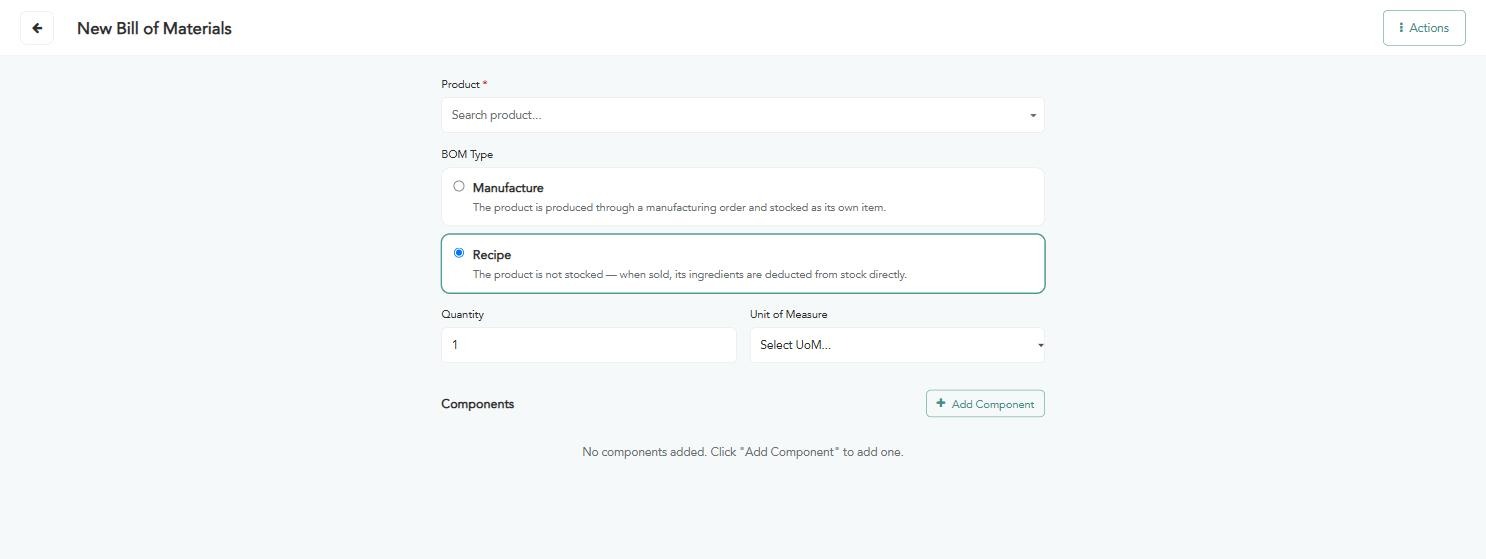
Manufacture — the product is produced through a separate manufacturing order, then stocked as an item in its own right with a balance. Suited to what is prepared in advance in batches, then sold.
Recipe — the product is not stocked and has no balance; when it is sold, its components are deducted from inventory directly. Suited to what is prepared at the moment of ordering.
The practical rule: an item prepared in advance with a tracked balance suits Manufacture, while an item prepared in front of the customer on order suits Recipe.
Creating a bill of materials
Click “New bill of materials”. The following screen appears; fill in the fields according to the instructions below:
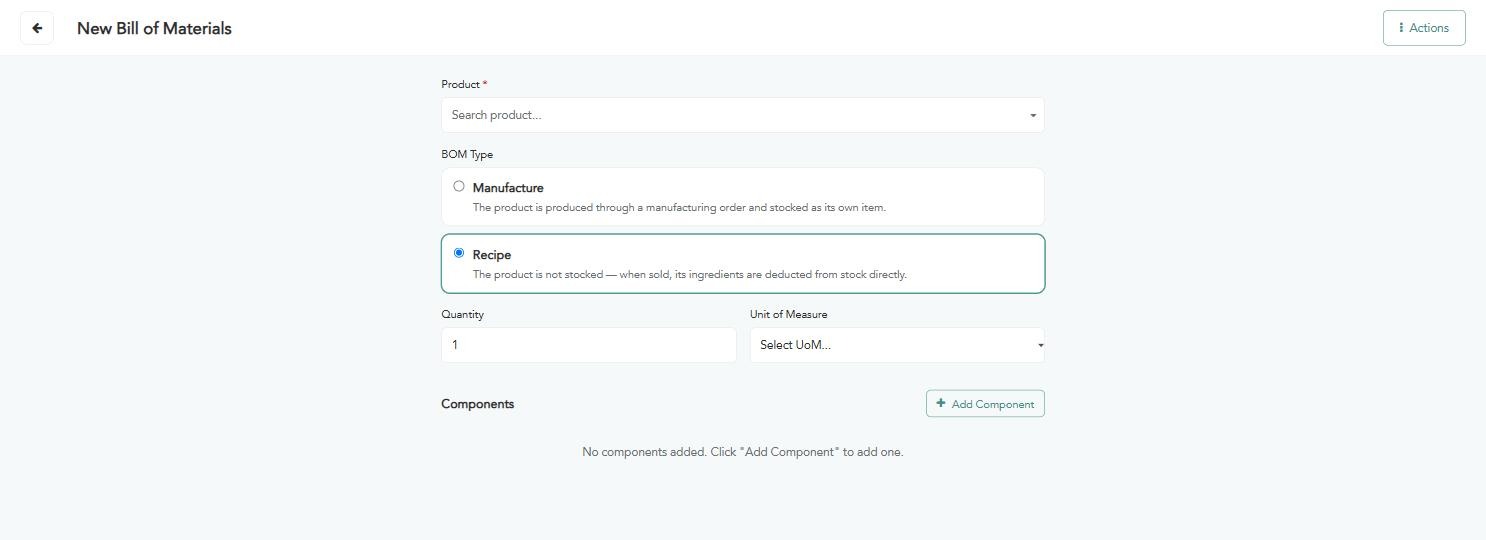
“Product” (required) — search for the finished product whose components you are describing.
“Bill type” — choose “Manufacture” or “Recipe” as explained above.
“Quantity” — the number of units this bill produces. Set it to 1 so the calculation is per single unit.
“Unit of measure” — the unit of the produced quantity.
Click “Add component” to add a new row to the components table.
Search for the component and pick it from the list.
Enter the quantity consumed of it, and set the unit of measure.
Repeat for the remaining components, and use the bin icon to remove any row.
Click “Save” to confirm the bill, or “Discard” to undo everything you entered.
Warning: The quantities in the bill must correspond to the “Quantity” set at the top of the screen. If that quantity is 10, the components are what it takes to produce 10 units, not one.